
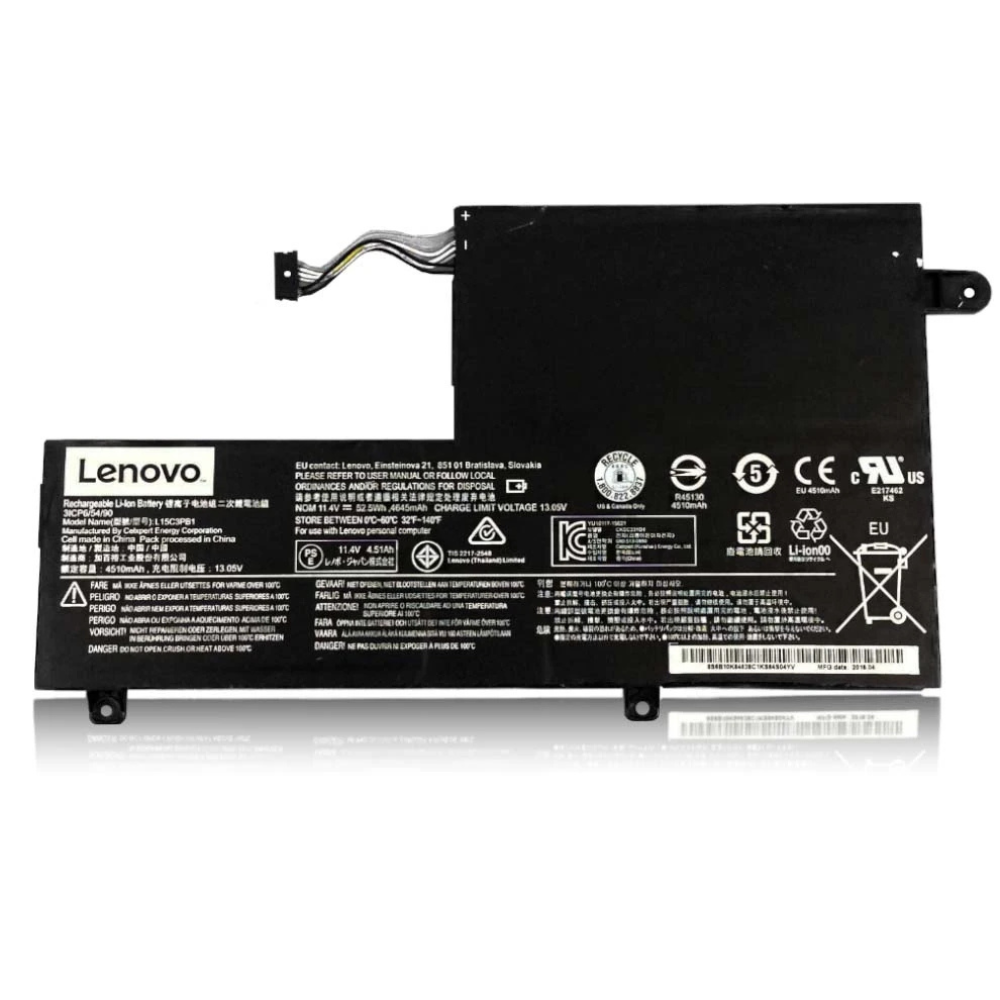
Best Lenovo IdeaPad 5 Battery Replacement Singapore
Restore the all-day stamina of your Lenovo IdeaPad 5.
The Lenovo IdeaPad 5 sits comfortably in the sweet spot of premium build quality and performance. With its aluminum chassis and efficient Ryzen or Intel chips, it is designed for mobile productivity. However, premium features like high-brightness IPS screens and Rapid Charge capabilities put significant stress on the battery cells over time. At StarLabs Singapore, we specialize in replacing degraded IdeaPad 5 batteries with genuine-grade cells, restoring the 8-10 hour battery life you enjoyed when it was new.
- Supported Models: IdeaPad 5 14″ & 15″ (14IIL05, 15ARE05, 14ALC05, Pro 16ACH6)
- Service Time: 45 – 60 Minutes
- Warranty: 6 – 12 Months
- Location: Bugis, Bedok, Bukit Panjang, Queen St
Model Spotlight: IdeaPad 5 Power Dynamics
Unlike the entry-level IdeaPad 3, the IdeaPad 5 series often utilizes a metal top cover and palm rest. While durable, this design impacts thermal management and battery accessibility.
Specific Battery Characteristics:
- Larger Capacity: Most IdeaPad 5 units ship with a 57Wh or 70Wh battery, which is significantly denser than average. This density requires high-quality replacement cells to maintain safety standards.
- Rapid Charge Support: The IdeaPad 5’s circuitry allows for high-wattage input (65W or 95W USB-C). A cheap, generic battery often fails to negotiate this high current, leading to slow charging or overheating.
- Thermal Throttling: When the battery voltage becomes unstable, the IdeaPad 5 firmware aggressively slows down the CPU (Ryzen/Core i5) to prevent a system crash.
Is Your IdeaPad 5 Throttle-Locking?
One unique symptom in the IdeaPad 5 series involves performance rather than just runtime. If your laptop feels sluggish only when unplugged, or if the trackpad click feels “stiff” (due to the battery swelling against the rigid aluminum deck), these are red flags.
- Stiff Trackpad: The metal chassis doesn’t flex. If the battery swells, it pushes solely against the trackpad glass, making it hard to click.
- Erratic Percentage: Drops from 40% to 0% instantly usually indicate a “dead cell” within the internal battery pack.
Comparison: IdeaPad 5 vs Pro Series
| Feature | IdeaPad 5 (Standard) | IdeaPad 5 Pro | IdeaPad 3 |
|---|---|---|---|
| Battery Capacity | 57Wh | 75Wh (High Density) | 35Wh – 45Wh |
| Chassis Material | Aluminum Top/Palm | Full Aluminum | Plastic |
| Charging Tech | USB-C PD (65W) | USB-C PD (100W) | Barrel Pin / 45W |
The StarLabs Promise: We ensure our replacement batteries support the specific Quick Charge protocols used by Lenovo’s USB-C PD controllers, ensuring you don’t lose that “15 mins for 3 hours” capability.
DIY Guide: How to Replace a Lenovo Laptop Battery
Note: The IdeaPad 5 often uses Torx screws (T5) and has tighter clips than plastic models. Patience is key to avoiding scratches on the aluminum casing.
⚠️ Disclaimer: Opening your laptop case may void your official warranty. Laptop batteries contain lithium-ion chemicals which can be fire hazards if punctured. If you are unsure, please contact StarLabs for professional assistance.
Tools You Will Need:
- Torx T5 Screwdriver (Essential for most IdeaPad 5 models)
- Plastic Pry Tool (Metal tools will scratch the aluminum)
- Tweezers (For handling the battery connector)
Step 1: Preparation
Shut down your IdeaPad 5 completely. Unplug the USB-C charger. Discharge static electricity by touching a metal object before starting.

Step 2: Remove the Bottom Case

Loosen the screws on the bottom cover. Note: On the IdeaPad 5, the screws along the front edge are angled. Ensure your screwdriver is perpendicular to the screw head to avoid stripping them.
Step 3: Release the Clips

Start prying from the hinge area (the exhaust vents). The aluminum clips are stiff—you will hear a loud “pop” when they release. This is normal. Work your way around the sides.
Step 4: Disconnect the Battery Connector (Critical Step)

Locate the battery connection on the motherboard. It is often covered by a small fabric flap or tape.
Action: Peel back the tape and pull the connector block horizontally. Do not lift it upwards.
Step 5: Remove and Swap

Remove the 4-6 screws holding the battery. Lift it out.
Installation: Place the new battery in. Ensure the screw holes line up perfectly; if forced, the battery may sit at an angle and damage the casing.
Step 6: Reassemble and Calibrate

Press the bottom cover down firmly until all clips snap back into place. Insert screws. Plug in AC power to activate the new battery management system.
Struggling with the Aluminum Case?
The IdeaPad 5 clips are known to be tight. Don’t risk bending the chassis or stripping the screws.
Maintaining Your IdeaPad 5 Battery
The IdeaPad 5 supports advanced power management features found in the Lenovo Vantage software. Using these correctly can double your battery’s useful lifespan.
1. The “Overnight Charge” Myth
While modern laptops stop charging at 100%, keeping the battery at high voltage (100%) generates heat. For the IdeaPad 5, we highly recommend enabling “Conservation Mode” in Lenovo Vantage if you leave it plugged in overnight. This caps the charge at 55-60%.
2. Heat Management
Since the IdeaPad 5 uses the bottom case as a passive heatsink, blocking the vents (e.g., using it on a bed) heats up the battery cells directly. Always use the laptop on a hard surface to keep battery temperatures below 40°C.
Frequently Asked Questions
Why is my IdeaPad 5 battery draining even when shutdown?
This is often caused by the “Always On USB” feature, which allows you to charge your phone from the laptop even when it’s off. You can disable this in the BIOS or Lenovo Vantage to stop the battery drain when the laptop is turned off.
What is the cost of an IdeaPad 5 battery replacement?
Due to the higher capacity (57Wh/70Wh) compared to standard models, the IdeaPad 5 battery is slightly more expensive. Prices typically range between $XX and $XX SGD. Please WhatsApp us your exact model number (e.g., 15ARE05) for a quote.
Can I upgrade from a 57Wh to a 70Wh battery?
In some 15-inch models, yes. If your laptop does not have a 2.5″ hard drive installed, the empty space can sometimes accommodate the larger 70Wh battery found in the Pro models. We can verify this compatibility physically at the shop.
Does StarLabs support the IdeaPad 5 Pro models?
Yes, we support the entire IdeaPad 5 range, including the Pro and Pro “i” (Intel) variants which use high-voltage batteries to support dedicated NVIDIA graphics.
