
Best Lenovo IdeaPad Flex 5 Battery Replacement Singapore
Is your 2-in-1 device stuck to the wall outlet? Restore your Flex 5 freedom.
The Lenovo IdeaPad Flex 5 is loved for its versatility—switching seamlessly between laptop, tent, and tablet modes. However, driving a touch screen and a 360-degree hinge mechanism places unique demands on the battery. At StarLabs Singapore, we replace worn-out Flex 5 batteries with high-quality cells, ensuring you can once again sketch, type, and watch movies anywhere, cord-free.
- Supported Models: Flex 5 14″ & 15″ (14ARE05, 14IIL05, 14ALC05, 15ALC05)
- Service Time: 45 – 60 Minutes
- Warranty: 6 – 12 Months
- Location: Bugis, Bedok, Bukit Panjang, Queen St
Model Spotlight: The Flex 5 Architecture
The Flex 5 is more complex than a standard IdeaPad due to its “convertible” nature. This affects how power is consumed and how the battery is housed.
Key Power Factors:
- Touch Screen Drain: The active digitizer (which detects your finger and stylus) draws power constantly, even when you aren’t touching it.
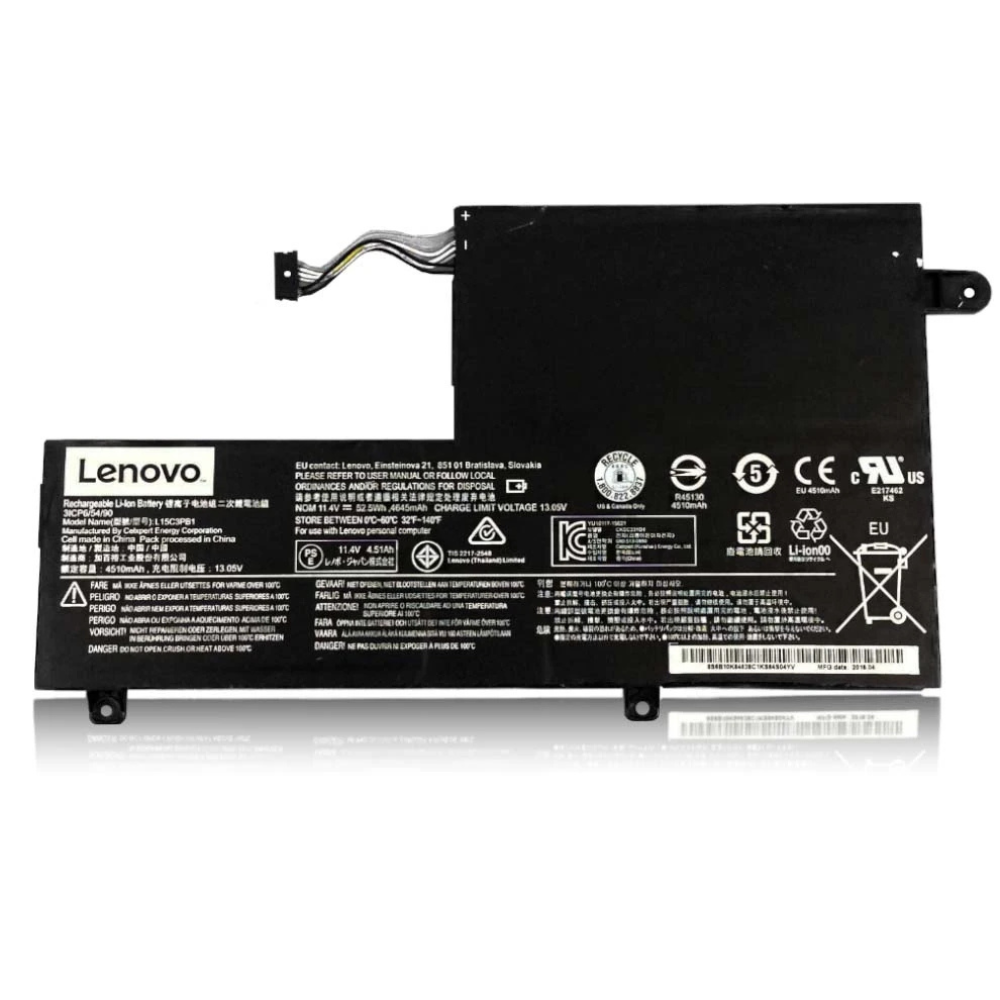
- Battery Capacity: Most Flex 5 models house a 52.5Wh battery. When new, this lasts 7-9 hours. If you are getting less than 3 hours, the cells are degraded.
- Thermal Constraints: In “Tablet Mode,” airflow is restricted. Heat is the #1 enemy of battery longevity, often causing premature failure in 2-in-1s.
Symptoms of a Failing Flex 5 Battery
Aside from the usual “short battery life,” the Flex 5 exhibits unique symptoms due to its design:
- Active Pen Disconnects: Voltage drops can cause the Bluetooth or active digitizer to momentarily lag, making stylus input jittery.
- Keyboard/Trackpad Bulge: The battery sits directly under the palm rest. If it swells, you may find the trackpad difficult to click or the keyboard bowing upward.
- Instant Power Off in Tablet Mode: Moving the hinge can sometimes trigger a power cut if the battery cable is loose or the battery voltage is unstable.
Comparison: Flex 5 vs Other Convertibles
| Feature | IdeaPad Flex 5 | Yoga 7i | IdeaPad 5 (Standard) |
|---|---|---|---|
| Typical Capacity | 52.5Wh | 71Wh (Larger) | 57Wh |
| Display Power | High (Touchscreen) | High (Touchscreen) | Moderate (Non-Touch) |
| Removal Risk | Medium (Hinge area) | Hard (Aluminum) | Easy |
The StarLabs Fix: We ensure the replacement battery is seated perfectly flat to avoid interference with the Flex 5’s tight keyboard deck clearance, ensuring your trackpad clicks remain crisp.
DIY Guide: How to Replace a Lenovo Laptop Battery
Note: This guide applies to the IdeaPad Flex 5. Please be extra careful with the screen, as 2-in-1 displays are more sensitive to pressure when the device is flipped over.
⚠️ Disclaimer: Opening your laptop case may void your official warranty. Laptop batteries contain lithium-ion chemicals which can be fire hazards if punctured. If you are unsure, please contact StarLabs for professional assistance.
Tools You Will Need:
- Torx T5 Screwdriver (Some models use Phillips #00)
- Plastic Pry Tool / Spudger
- Soft Cloth/Mat (To protect the screen when face down)
Step 1: Preparation
Shut down your Flex 5 completely. Unplug the AC adapter. Crucial: Place a soft towel or mat on your table before flipping the laptop over to prevent cracking the glass touch screen.

Step 2: Remove the Bottom Case

Remove the screws securing the bottom panel. Note: The screws near the hinges are often longer than the others. Keep them separate to avoid puncturing the casing upon reassembly.
Step 3: Release the Clips

Insert your pry tool at the hinge area first—this is usually the loosest point on Flex models. Slide around the edges to pop the clips. Lift the cover off gently.
Step 4: Disconnect the Battery Connector (Critical Step)

Locate the battery connector. On the Flex 5, this cable often runs over or under speaker wires.
Action: Gently slide the connector block out of the motherboard socket. Ensure you do not snag nearby ribbon cables.
Step 5: Remove and Swap

Unscrew the battery mounting screws. Lift the old battery out.
Installation: Align the new battery. Tip: Ensure the battery is seated perfectly flat so it doesn’t push against the touchpad from underneath.
Step 6: Reassemble and Calibrate

Snap the bottom cover back on, paying attention to the clips near the USB ports. Tighten screws. Plug in charger and charge to 100%.
Worried about the Touch Screen?
Flex 5 repairs require delicate handling of the hinge and screen. Don’t risk cracking the glass.
Optimizing Your Flex 5 Battery Life
To get the best longevity out of your new battery, especially with a 2-in-1 device, consider these adjustments.
1. Manage Tablet Mode
When in tablet mode, Windows sometimes keeps background apps running at full power. Use the “Battery Saver” slider in the taskbar to aggressively throttle background tasks when using the device for reading or watching video.
2. Screen Brightness Matters
The glossy touch screen on the Flex 5 is the biggest power drain. Reducing brightness from 100% to 70% can add up to 45 minutes of extra runtime.
Frequently Asked Questions
Does the Flex 5 battery replacement include the Active Pen battery?
No. The Lenovo Digital Pen uses a separate AAAA (quadruple A) alkaline battery which is user-replaceable by unscrewing the pen cap. Our service covers the main internal laptop battery only.
How much does a Lenovo Flex 5 battery replacement cost?
The Flex 5 battery is a common model (L19M3PF5 or similar). Replacement costs generally range between $XX and $XX SGD depending on whether you need the 45Wh or 52.5Wh capacity. Contact us with your serial number for a precise quote.
Can I upgrade to a larger battery?
In most Flex 5 14-inch models, space is limited by the speakers and HDD bay (if present). You generally must replace it with the same physical size battery. However, if you have an empty 2.5″ drive bay, some models allow for a larger battery mod, though this is rare.
How long does the repair take?
We typically complete Flex 5 battery replacements in 45 to 60 minutes. We take extra time to ensure the hinge area is reassembled correctly so your 360-degree rotation works smoothly.
