
Best Lenovo Slim 7 ProX Battery Replacement Singapore
Is your creative workflow being interrupted by a dying Lenovo Laptop battery?
The Lenovo Slim 7 ProX is a powerhouse designed for creators and power users. However, its high-performance display and dedicated GPU can take a heavy toll on battery health over time. At StarLabs Singapore, we specialize in restoring your Slim 7 ProX to its original factory runtime with high-quality battery replacements.
- Supported Models: Lenovo Slim 7 ProX (14ARH7 / 14IAH7)
- Service Time: 45 – 60 Minutes
- Warranty: 6 – 12 Months
- Location: Bugis, Bedok, Bukit Panjang, Queen St
Model Spotlight: Understanding Your Slim 7 ProX
The Lenovo Slim 7 ProX is not your average ultrabook. It bridges the gap between a portable thin-and-light and a heavy-duty gaming station.
Key Specifications & Battery Drain Factors:
- Display: The stunning 14.5″ 3K 120Hz PureSight display requires significantly more power than standard 60Hz screens.
- Processor: AMD Ryzen 6000HS or Intel 12th Gen H-Series chips demand stable voltage.
- Graphics: The NVIDIA RTX 3050 drains battery cycles fast during rendering or gaming.
How it Compares to Other Models
| Feature | Slim 7 ProX | Slim 7 Carbon | Yoga 9i |
|---|---|---|---|
| Battery Capacity | ~70Wh (Larger) | ~50Wh (Smaller) | ~75Wh |
| Complexity | Moderate (Dense layout) | Easy | High (2-in-1) |
| Common Issue | Heat degradation (GPU) | Normal wear | Hinge cable wear |
The StarLabs Fix: Because the Slim 7 ProX is a high-performance machine, a degraded battery doesn’t just mean shorter life—it can lead to throttling. Our replacement batteries restore full voltage stability, ensuring your machine runs at full speed.
DIY Guide: How to Replace a Lenovo Laptop Battery
Note: This guide outlines the general procedure for replacing batteries in most Lenovo laptops. While the screw locations may vary slightly by model, the core steps remain consistent.
⚠️ Disclaimer: Opening your laptop case may void your official warranty. Laptop batteries contain lithium-ion chemicals which can be fire hazards if punctured. If you are unsure, please contact StarLabs for professional assistance.
Tools You Will Need:
- Precision Screwdriver Set (Phillips #0 or #00, and T5 Torx)
- Plastic Pry Tool / Spudger (Do not use metal tools)
- Anti-static wrist strap (Recommended)
Step 1: Preparation
Shut down your Lenovo laptop completely. Unplug the AC adapter and remove any USB peripherals or SD cards.

Step 2: Remove the Bottom Case

Flip the laptop over. Locate the screws securing the bottom panel. Tip: Some Lenovo models have “captive screws” that loosen but do not fall out. Keep them organized.
Step 3: Release the Clips

Insert your plastic pry tool into the seam between the bottom cover and the palm rest. Gently slide the tool around the edges to pop the internal clips. Lift the cover off.
Step 4: Disconnect the Battery Connector (Critical Step)

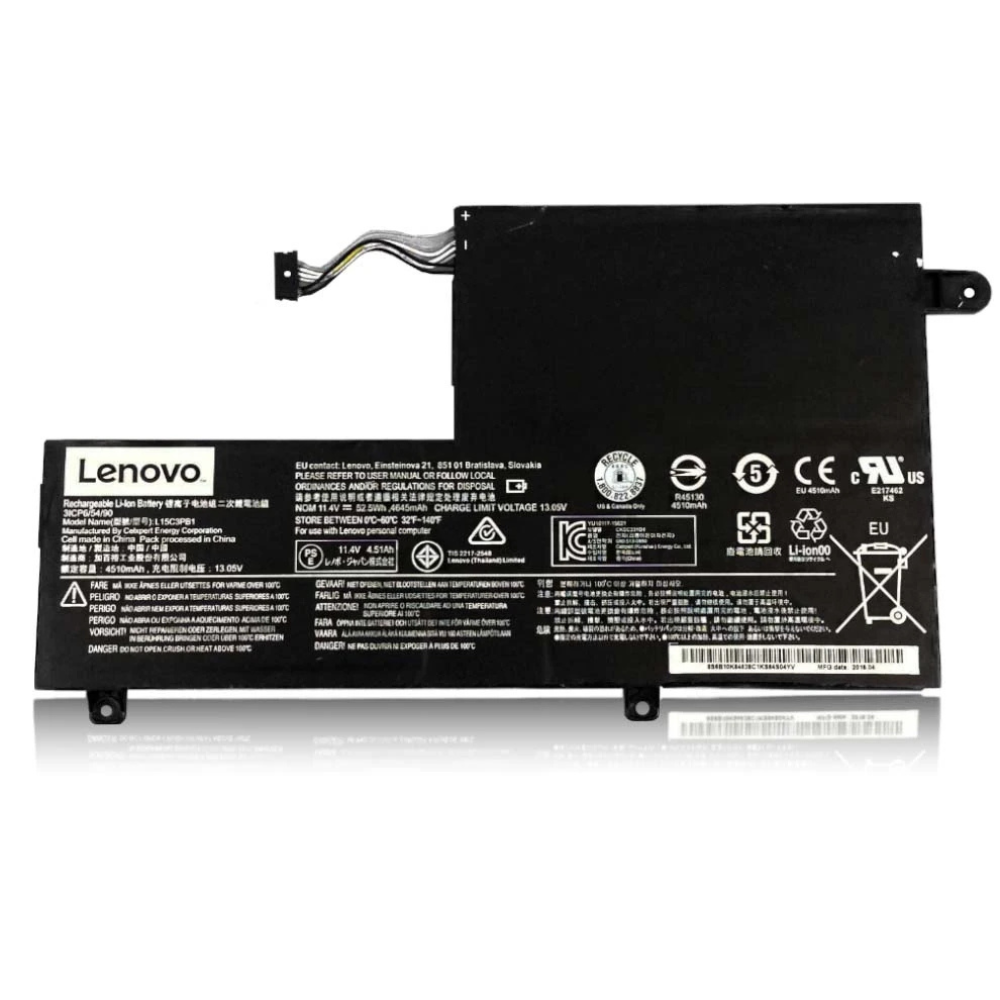
Locate the battery (the large black rectangular component). Follow the wires to where they plug into the motherboard.
Action: Use your fingernail or a plastic tool to gently slide the connector block out of the socket. Never pull on the wires themselves.
Step 5: Remove and Swap

Unscrew the screws holding the battery frame to the chassis. Lift the old battery out.
Installation: Place the new battery in the bay, screw it down, and firmly reconnect the plug to the motherboard.
Step 6: Reassemble and Calibrate

Snap the bottom cover back on and tighten the screws. Plug in your charger (required to “wake up” the new battery). Charge to 100% before use.
Need Help with Installation?
If a screw is stripped or the connector feels stuck, don’t force it. Our experts are ready to assist.
Frequently Asked Questions
Why is my Slim 7 ProX battery draining so fast, even after a replacement?
The Slim 7 ProX is a high-performance machine with a 120Hz 3K screen and a dedicated NVIDIA RTX 3050 GPU. These components consume significant power. While a new battery restores factory runtime, we also recommend checking if “High Performance” mode is active or if background apps are using the GPU unnecessarily.
How much does a Lenovo Slim 7 ProX battery replacement cost in Singapore?
Prices fluctuate based on the cost of genuine cells. Generally, replacement costs range between $XX and $XX SGD. Please WhatsApp us with your specific model number (usually found on the bottom case, e.g., 14ARH7) for an instant, accurate quote.
Does the replacement battery support Lenovo Rapid Charge?
Yes. We use high-quality cells that are fully compatible with Lenovo’s Rapid Charge Express technology, allowing you to get up to 3 hours of runtime with just a 15-minute charge, just like the original.
Will replacing the battery affect my warranty with Lenovo?
If your laptop is still under the official Lenovo warranty, opening the device may void it depending on their terms. However, most Slim 7 ProX units brought to us are already out of warranty (1+ years old). StarLabs provides our own 6-12 month warranty on the new battery for your peace of mind.
How long does the repair take?
For the Slim 7 ProX, the process typically takes 45 to 60 minutes. You can wait in our shop while we perform the replacement.
