
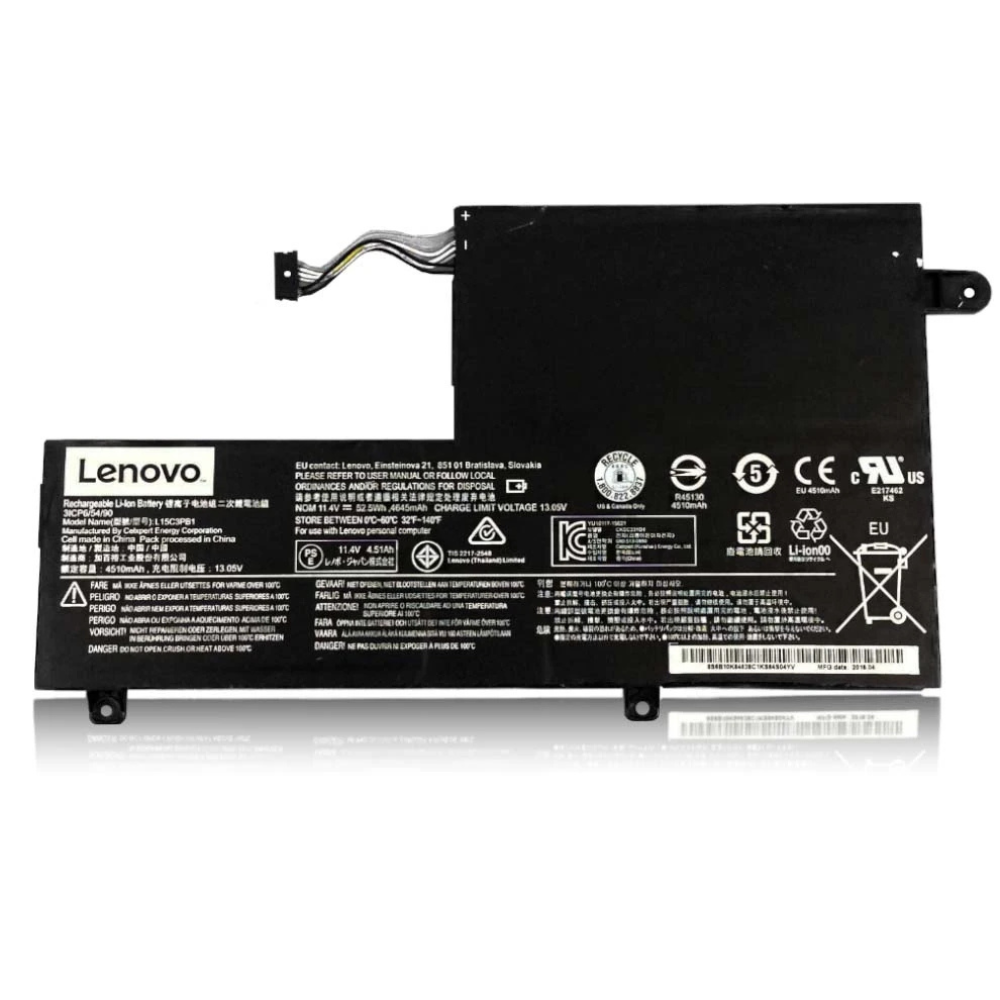
Best Lenovo Yoga 710 Battery Replacement Singapore
Is your flexible 2-in-1 experience limited by a dying Lenovo Yoga 710 battery?
The Lenovo Yoga 710 series revolutionized the convertible laptop market with its sleek aluminum chassis and “watchband” style hinge. However, the compact design of the 11-inch, 14-inch, and 15-inch models leaves little room for cooling, often stressing the battery over years of use. At StarLabs Singapore, we specialize in breathing new life into your Yoga 710 with high-quality, factory-spec battery replacements.
- Supported Models: Lenovo Yoga 710-11ISK/IKB, 710-14ISK/IKB, 710-15ISK/IKB
- Service Time: 30 – 45 Minutes
- Warranty: 6 – 12 Months
- Location: Bugis, Bedok, Bukit Panjang, Queen St
Model Spotlight: Understanding Your Yoga 710
The Yoga 710 is defined by its versatility. Whether you have the portable 11-inch version or the powerful 15-inch model with dedicated NVIDIA graphics, the battery plays a crucial role in maintaining the “unplugged” freedom that a 2-in-1 device promises.
Key Specifications & Power Profile:
- Battery Type: Most 14″ and 15″ models use the L15M4PC2 / L15L4PC2 (53Wh) 4-cell polymer battery, while the 11″ uses a smaller custom form factor.
- Touchscreen Drain: The active digitizer layer for the touchscreen consumes constant power, even when you aren’t touching it.
- Chassis Design: The aluminum body acts as a heatsink, but as the battery ages, it generates excess heat that can be felt through the palm rest.
The Tablet Mode Heat Factor
One unique challenge with the Lenovo Yoga 710 series is how “Tablet Mode” affects battery health. When you fold the screen back 360 degrees to use it as a tablet, the keyboard face (where heat usually dissipates upwards) is often pressed against your lap or a desk surface.
This trapped heat can raise the internal temperature of the lithium-ion cells. Over time, consistent exposure to temperatures above 40°C degrades the chemical structure of the battery, leading to a significant drop in capacity. If you notice your Yoga 710 getting uncomfortably hot in tablet mode, it is often a sign that the battery is working too hard to maintain voltage.
Warning Signs: The “Trackpad Bulge”
On the Yoga 710 14-inch and 15-inch models, the battery sits directly underneath the trackpad. When these batteries fail, they often release gas and swell up (a condition known as “bloating”).
Watch for these symptoms:
- The trackpad becomes difficult to click or feels “stiff.”
- The bottom casing rocks on a flat surface because it is bowing out.
- A visible gap appears between the palm rest and the bottom cover.
If you see these signs, replace the battery immediately to prevent damage to the trackpad glass or motherboard.
Comparison: Yoga 710 vs Other Generations
| Feature | Yoga 710 (14/15″) | Yoga 720 | Flex 5 |
|---|---|---|---|
| Typical Capacity | 53Wh (Standard) | 48Wh (Slightly Smaller) | 52.5Wh |
| Repairability | Easy (T5 Screws) | Moderate | Easy |
| Swelling Risk | Moderate (Under Trackpad) | Low | Moderate |
DIY Guide: How to Replace a Lenovo Yoga 710 Battery
Note: This guide applies to the 14-inch and 15-inch Yoga 710 models. The 11-inch model is similar but uses different screw placements.
⚠️ Disclaimer: Opening your laptop case may void your official warranty. Laptop batteries contain lithium-ion chemicals which can be fire hazards if punctured. If you are unsure, please contact StarLabs for professional assistance.
Tools You Will Need:
- Torx T5 Screwdriver (Crucial for the bottom case screws)
- Standard Phillips #00 Screwdriver (For internal battery screws)
- Plastic Pry Tool / Spudger
Step 1: Preparation
Shut down your Lenovo Yoga 710 completely. Unplug the AC adapter and remove any SD cards from the side slot. Place the laptop face down on a soft cloth to protect the aluminum lid.

Step 2: Remove the Bottom Case

Use your T5 Torx screwdriver to remove the 10 screws securing the bottom panel. Note: The screws near the hinge are often longer than the others. Map them out on a magnetic mat.
Step 3: Release the Clips

Insert your plastic pry tool into the seam between the bottom cover and the chassis. Start near the hinge and gently slide the tool around the edges to pop the internal clips. Lift the aluminum cover off.
Step 4: Disconnect the Battery Connector (Critical Step)

Locate the large black L-shaped battery. Follow the multi-colored wires to the white connector on the motherboard.
Action: Use your fingernail or a plastic tool to gently slide the connector block out of the socket. Never pull on the wires themselves.
Step 5: Remove and Swap

Switch to your Phillips screwdriver. Unscrew the 4-6 screws holding the battery frame to the chassis. Lift the old battery out.
Installation: Place the new battery in the bay, screw it down, and firmly reconnect the plug to the motherboard.
Step 6: Reassemble and Calibrate

Snap the bottom cover back on, ensuring the clips engage near the palm rest first. Tighten the T5 screws. Plug in your charger to wake the new battery and charge to 100% uninterrupted.
Need Help with Installation?
Stripped a Torx screw or worried about the trackpad cable? Don’t risk it.
Frequently Asked Questions
Why does my Yoga 710 shut down at 30% battery?
This is a classic sign of a degraded lithium-ion battery cell with high internal resistance. The battery meter reads 30%, but when the processor demands power (e.g., opening a program), the voltage drops instantly, causing the laptop to cut power to protect itself. A replacement solves this immediately.
How much does a Lenovo Yoga 710 battery replacement cost in Singapore?
Battery prices for the Yoga 710 series typically range between $XX and $XX SGD, depending on whether you need the 53Wh model for the 14/15-inch or the smaller 11-inch variant. Please WhatsApp us with your specific model number (e.g., 80V4 or 80V5) for an exact quote.
Do you support both the 14-inch and 15-inch Yoga 710?
Yes, we stock batteries for the entire Yoga 710 lineup, including the 11ISK, 14IKB, and 15IKB. The 14 and 15-inch models often share the same battery part, while the 11-inch is unique. We verify the correct part before installation.
Will a new battery fix my stiff trackpad?
In 90% of cases, yes. A stiff trackpad on the Yoga 710 is almost always caused by a swollen battery pushing upwards against the trackpad mechanism. Once the swollen battery is removed and replaced with a flat, new one, the trackpad click usually returns to normal.
How long does the repair take?
The Yoga 710 is relatively easy to service. The replacement process takes about 30 to 45 minutes, meaning you can drop it off and pick it up after a quick lunch or coffee.
