
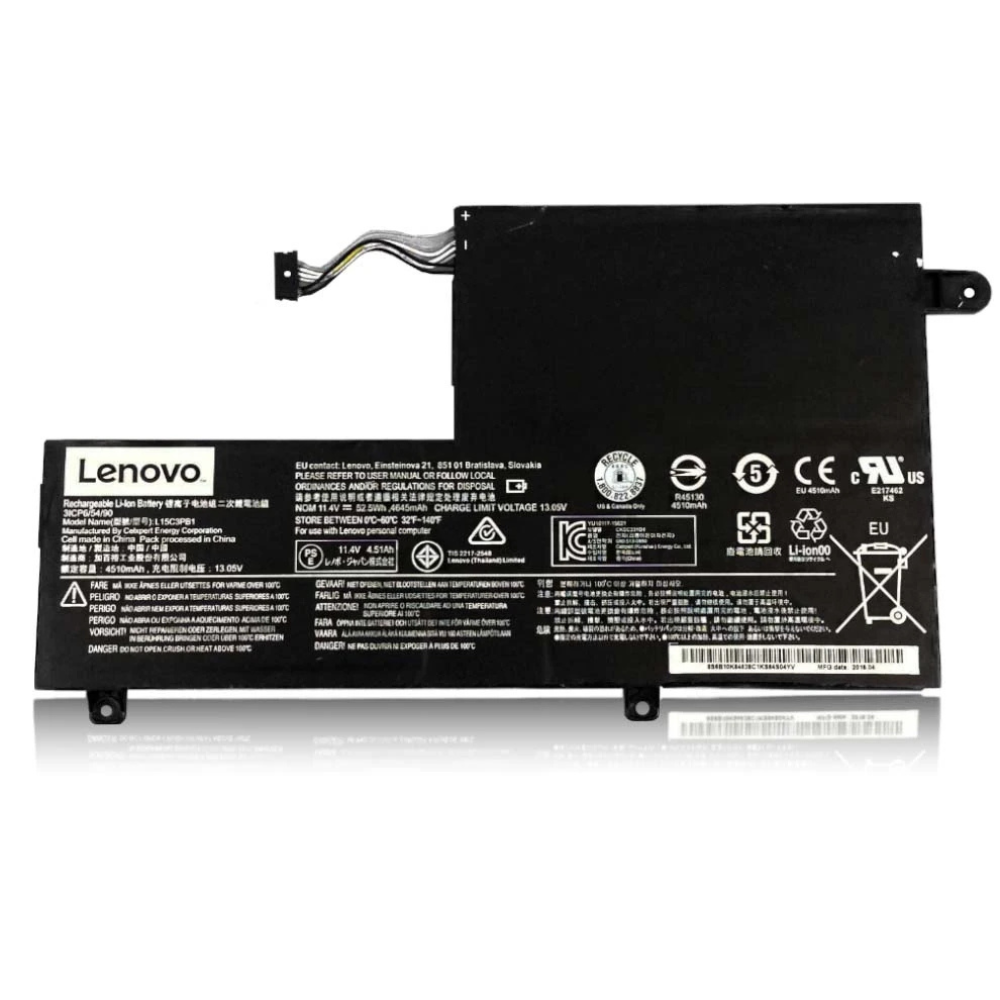
Best Lenovo Yoga Duet 7 Battery Replacement Singapore
Is your Yoga Duet 7 losing its tablet mobility?
The Lenovo Yoga Duet 7 (Duet 7i) is designed for ultimate portability, functioning as both a powerful tablet and a laptop. However, its ultra-thin chassis leaves little room for heat dissipation, often accelerating battery wear. A degraded battery not only reduces your unplugged runtime but can also fail to provide sufficient power to charge the detachable Bluetooth keyboard. At StarLabs Singapore, we specialize in high-precision battery replacements for sealed 2-in-1 devices like the Yoga Duet.
- Supported Models: Yoga Duet 7 13IML05 / 13ITL6 / 13ITL6-LTE
- Battery Spec: 41Wh / 42Wh (Model L19M4PD8 / L19C4PD8)
- Service Time: 60 – 90 Minutes (Complex Repair)
- Warranty: 6 – 12 Months
- Location: Bugis, Bedok, Bukit Panjang, Queen St
The Tablet Danger: Swollen Batteries & Screens
Unlike a laptop with a separate keyboard deck, the Yoga Duet 7 stores its battery directly behind the LCD Screen. This creates a critical risk:
The “Pressure Cooker” Effect
If the battery swells due to heat or age, it pushes outward. In a tablet, the only weak point is the glass display.
- Yellow Spots: Pressure on the back of the LCD creates visible yellow blotches on your screen.
- Glass Separation: The screen may start to lift or “pop out” from the frame.
- Touch Ghosting: The digitizer may register phantom touches or stop working in certain areas.
Urgent: If your screen is bulging, do not press down on it. Contact us immediately to remove the battery before the glass cracks.
Hidden Symptom: Keyboard & Pen Issues
The Yoga Duet 7’s detachable keyboard charges via pogo pins when connected to the tablet. If your main tablet battery is failing, it may cut power to the accessory ports to save itself.
Symptoms:
- Keyboard disconnects frequently or stops charging.
- Lenovo E-Color Pen lags or loses connection.
Model Spotlight: Yoga Duet 7 Specifications
The Duet 7 competes with the Surface Pro, meaning it uses a highly integrated internal design. The battery is thin and spread out to balance the tablet’s weight.
Comparison: 2-in-1 Battery Tech
| Feature | Yoga Duet 7i | Surface Pro 7 | Yoga Slim 7 (Laptop) |
|---|---|---|---|
| Battery Capacity | 41Wh / 42Wh | 43Wh | 60Wh |
| Access Method | Screen/Back Removal (Hard) | Screen Removal (Very Hard) | Back Cover (Easy) |
| Voltage | 7.68V (High Density) | 7.57V | 15.36V |
DIY Guide: How to Replace a Yoga Duet 7 Battery
Note: This is an advanced repair. Unlike laptops with screws, the Duet 7 often requires prying open the display or a clipped rear panel. Proceed with extreme caution.
⚠️ Professional Warning: Opening this tablet may require removing the screen, which breaks easily. If you do not have heat guns and suction cups, we strongly recommend professional installation.
Tools You Will Need:
- Heat Gun or Hair Dryer (to soften adhesive)
- Suction Cup & Plastic Picks
- Precision Screwdriver (Phillips #00)
Step 1: Preparation & Heat
Power off the tablet. Remove the SD card and keyboard. Gently heat the edges of the display (or rear kickstand area, depending on exact sub-model) to soften the adhesive seal.

Step 2: Create a Gap

Place a suction cup on the corner of the screen/panel. Pull gently while inserting a plastic pick. Do not insert deep—there are ribbon cables immediately inside.
Step 3: Separate the Assembly

Slide the pick around the perimeter to slice through the adhesive. Carefully lift the panel. Stop! Locate the display cables and disconnect them before fully removing the screen.
Step 4: Disconnect Battery

Locate the flat lithium polymer battery. Unplug the connector from the motherboard. Note the cable routing—it often snakes around other components.
Step 5: Swap Battery

The battery may be held down with mild adhesive or screws. Remove it gently. Install the new 41Wh battery and reconnect it.
Step 6: Reseal

Clean the old adhesive from the frame. Apply new Tesa tape or adhesive strips. Reconnect the screen cables, test the device, and then press the screen firmly to seal.
Too Risky?
Breaking the screen on a Yoga Duet 7 is a very expensive mistake. Our technicians have the specialized heating tables and tools to do this safely.
Frequently Asked Questions
Can I just change the battery myself?
We generally advise against it for the Duet 7. Unlike a standard laptop, the battery is behind a glued display or back panel. The risk of cracking the glass or tearing ribbon cables is very high without professional tools.
Why is my keyboard not charging?
The keyboard charges via the tablet’s pogo pins. If your tablet battery is weak, it may not supply enough stable voltage to charge the accessory. Replacing the main battery often resolves this connectivity issue.
Is the battery capacity upgradeable?
No. The Duet 7 is extremely compact. There is no physical space for a larger battery. We install a high-quality 41Wh/42Wh replacement that matches the original density and safety specs.
